
Company Sales Rep
Table of Contents
1. Introduction
The Orangecat Company Sales Rep module enhances the B2B experience by allowing administrators to assign dedicated Sales Representatives to specific companies.
This allows for a personalized relationship between the sales team and the B2B clients, providing a clear point of contact and specialized management within the platform.
2. Admin Workflow: Assigning Sales Representatives
Administrators can manage the assigned sales representative for each company from the Company edit screen in the Magento Admin Panel.
2.1. Sales Rep Assignment
Navigate to Orangecat > Companies, edit a company, and locate the General Information or Sales Representative section (depending on your configuration). Here you can select an admin user from the list to act as the primary Sales Rep for this company.
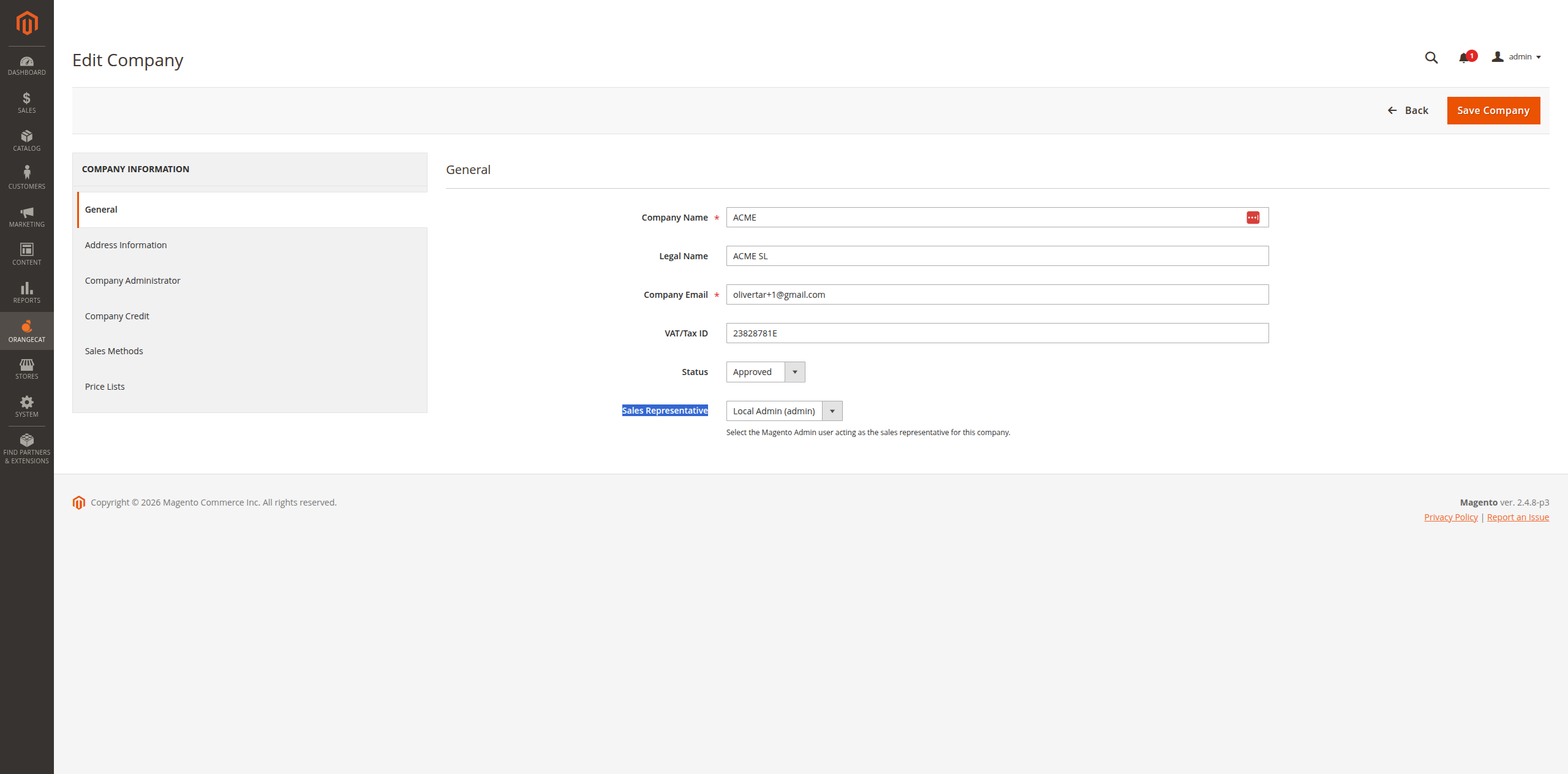
Figure 2.1: Assigning a Sales Representative to a Company
3. Frontend Workflow: Sales Rep Dashboard
When a B2B customer is logged in, they can view information about their assigned Sales Representative directly from their dashboard.
3.1. Dedicated Support Information
In the account dashboard, a dedicated block displays the contact information of the assigned Sales Rep, making it easy for the company users to reach out for assistance or inquiries.
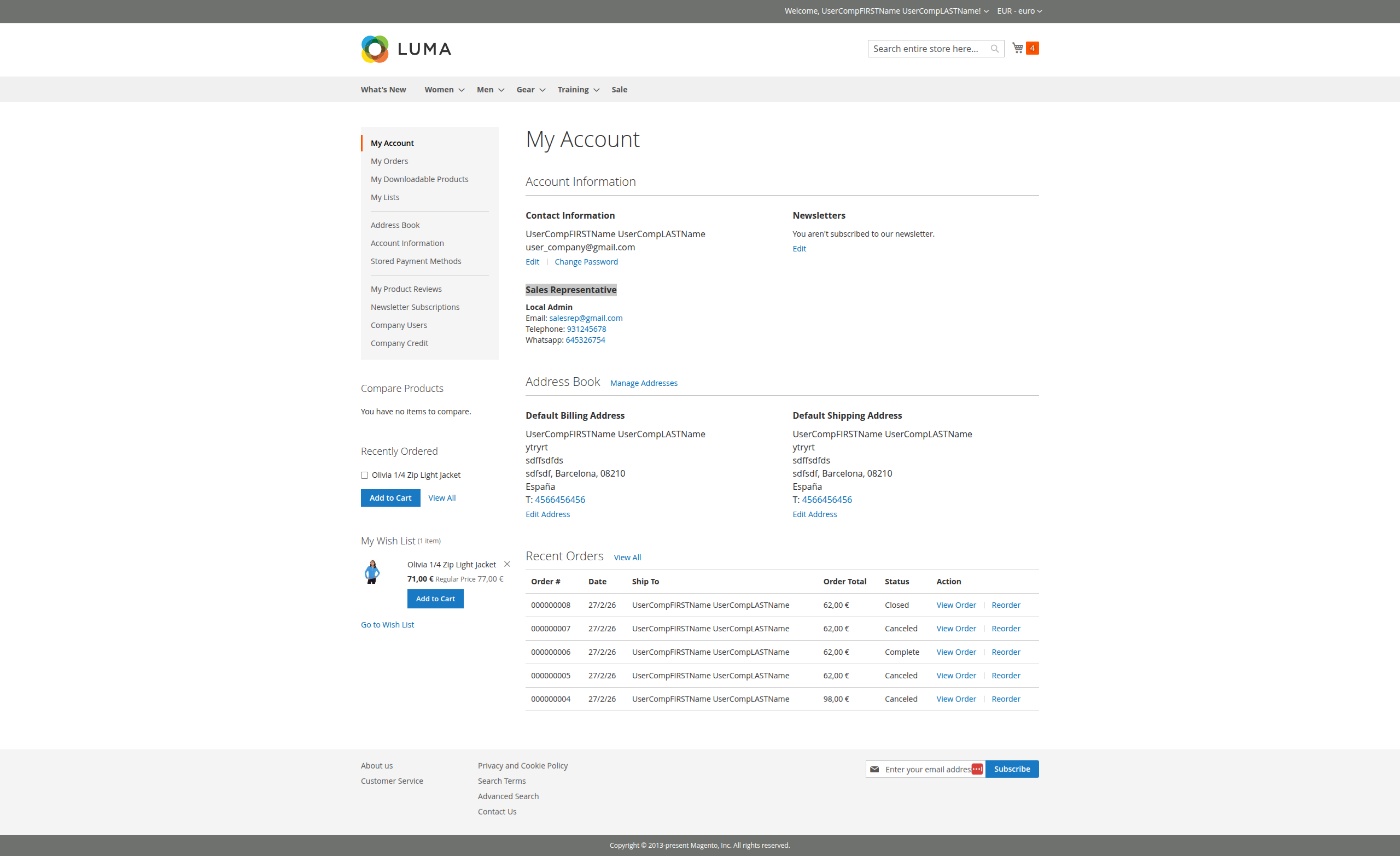
Figure 3.1: Sales Representative information visible in the user dashboard