
Returns - RMA
Table of Contents
1. Introduction
The Orangecat Returns (B2B RMA) module provides a robust framework for managing product returns within the Magento B2B ecosystem. It allows customers to request returns for eligible orders directly from their account dashboard, while providing administrators with a complete workflow to process, authorize, and track RMAs.
Key features include configurable return windows, partial return support, customizable return reasons and conditions, and automated status notifications.
2. Configuration
Global settings for the Returns module are located in Stores > Configuration > Orangecat > Returns. Here, administrators can define the core behavior of the RMA system.
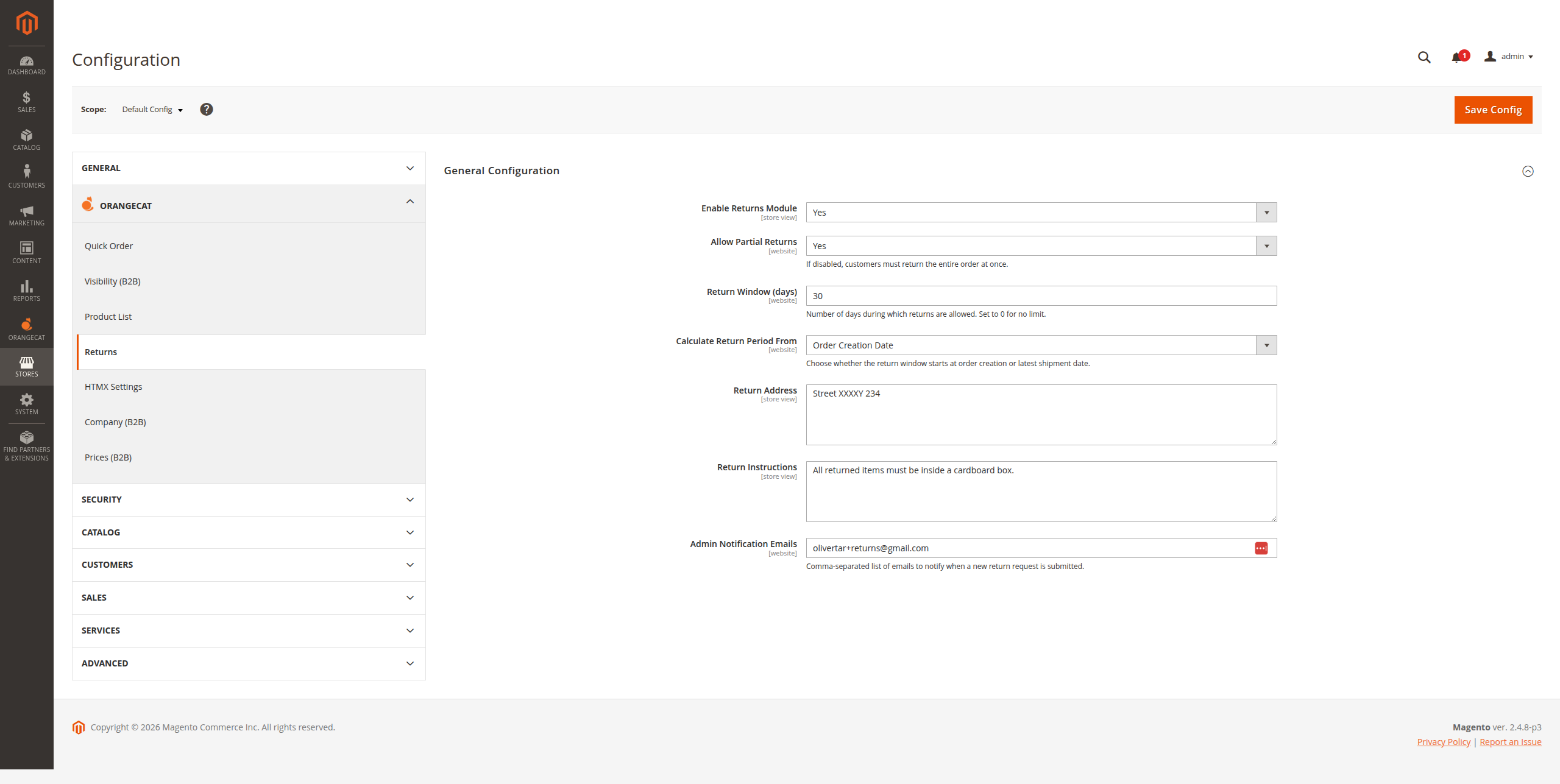
Figure 2.1: Global Configuration Settings
Core Settings:
- Enabled: Globally activate or deactivate the RMA functionality.
- Return Window: Number of days during which a return can be requested.
- Calculate Return Period From: Define if the window starts from the Order Creation Date or the Latest Shipment Date.
- Partial Returns: Enable or disable the ability to return only specific items from an order.
- Return Address: The physical address where customers should ship their returned goods.
- Return Instructions: Global instructions shown to the customer during the return process.
- Admin Notification Emails: List of email addresses that will receive notifications for new RMA requests and status changes.
3. Master Data Management
To provide a tailored experience, administrators can manage the metadata used in return requests via the Orangecat > Returns menu.
3.1. Return Reasons
Define the common reasons for returns (e.g., Damaged, Wrong SKU, Changed Mind).
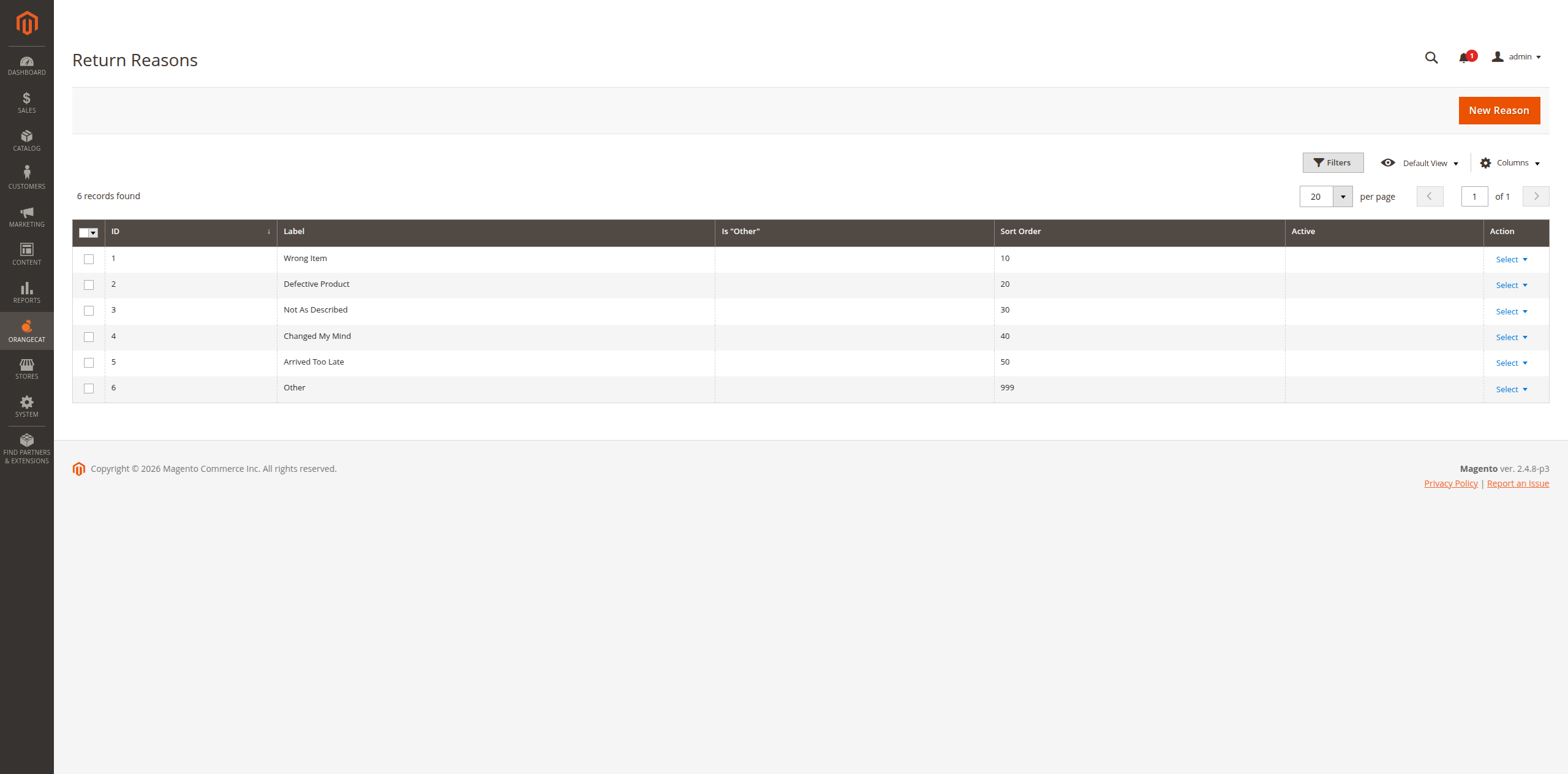
Figure 3.1: Managing Return Reasons
3.2. Product Conditions
Specify the acceptable physical states for returned products (e.g., Unopened, Opened, Damaged Box).
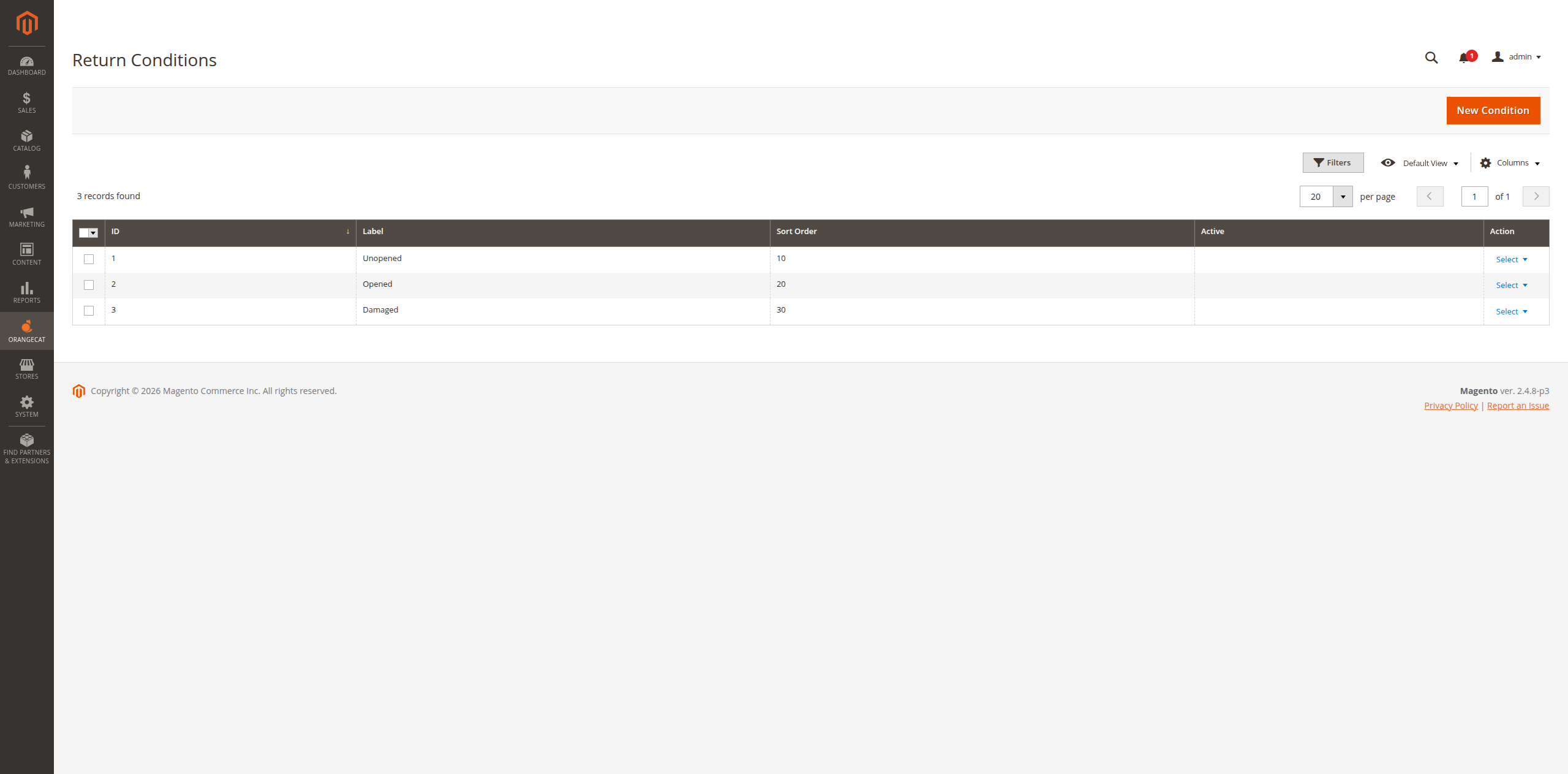
Figure 3.2: Managing Product Conditions
3.3. Resolutions
Offer different outcomes for the return process (e.g., Refund, Replacement, Store Credit).
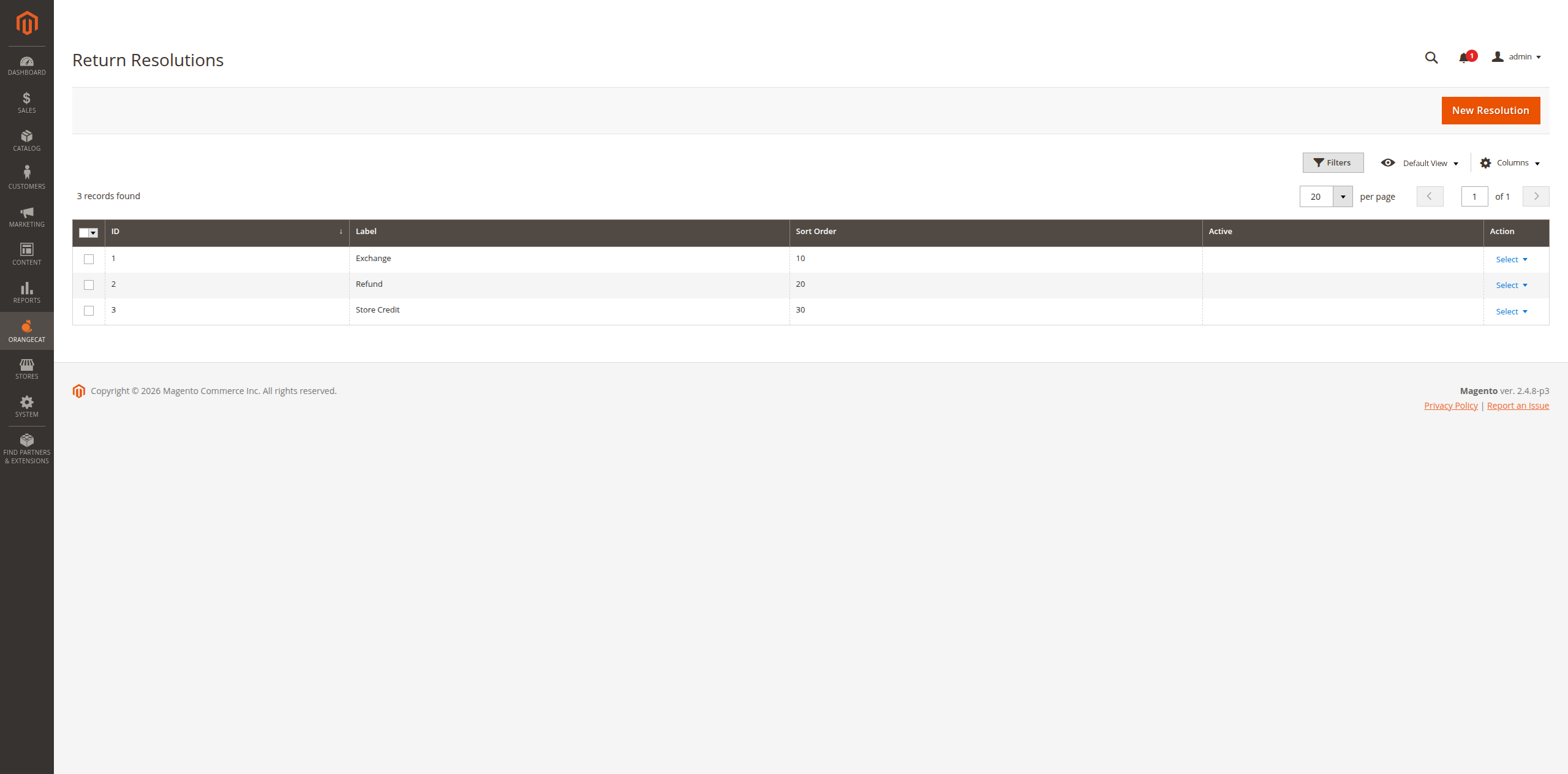
Figure 3.3: Managing Resolutions
3.4. RMA Statuses
Define the workflow states for RMA requests. Each status can be configured with custom labels for both Admin and Frontend.
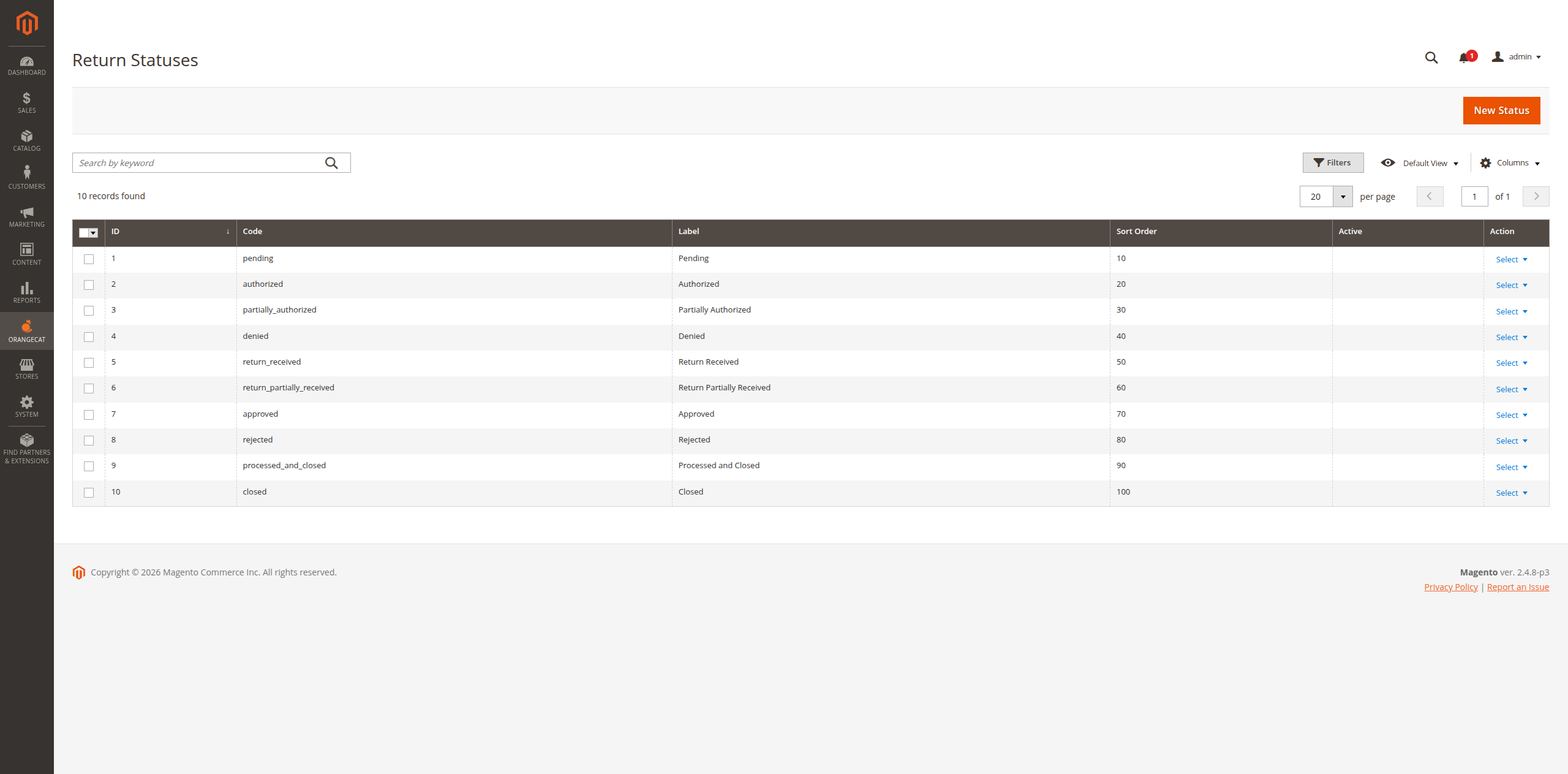
Figure 3.4: List of RMA Statuses
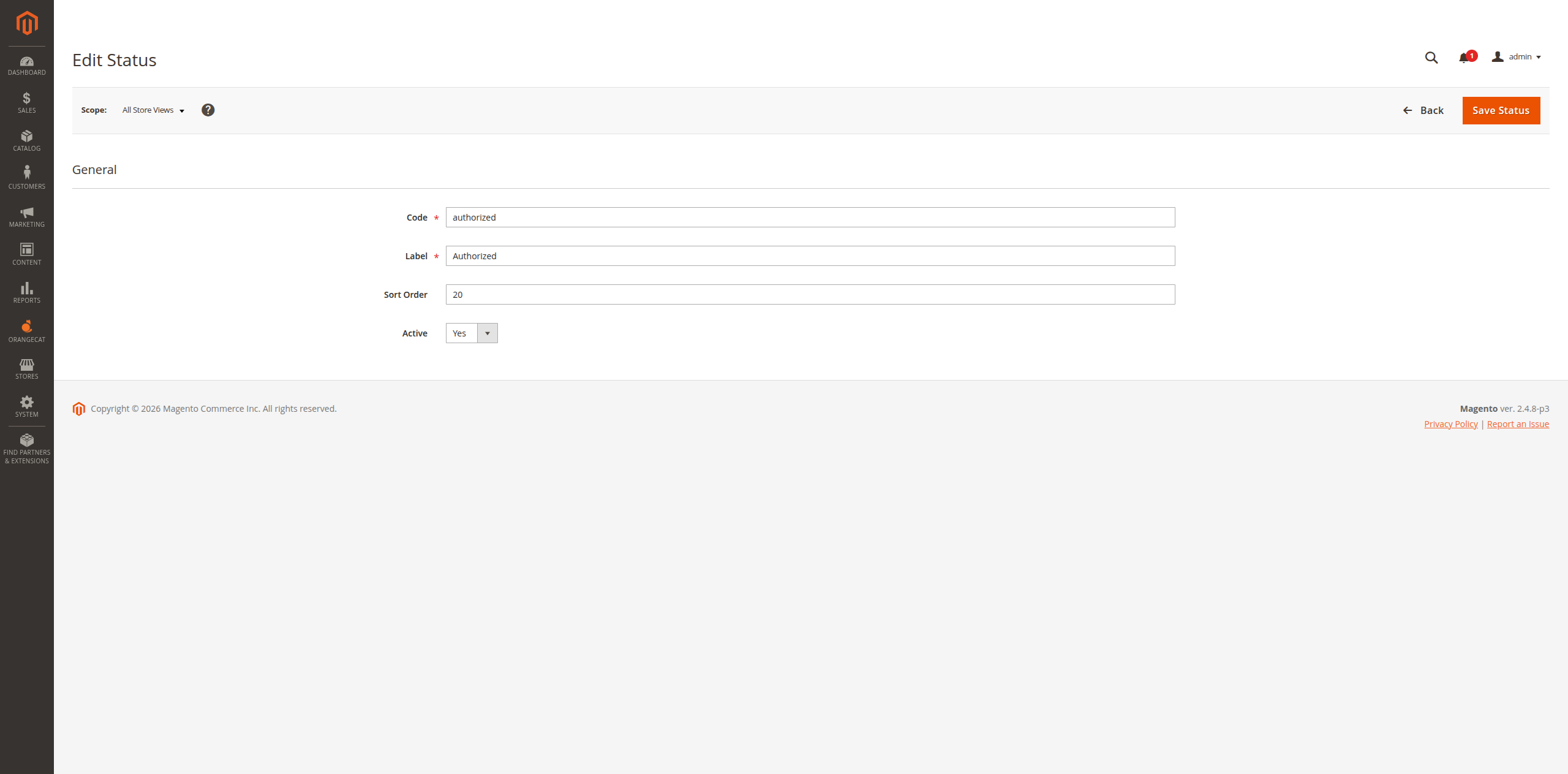
Figure 3.5: Configuring a Specific Status
4. Product Eligibility
Not all products are necessarily returnable. Administrators can control which products can be included in an RMA by setting the "Returnable" attribute at the product level.
4.1. Setting a Product as Returnable
Navigate to the product edit screen in Catalog > Products and find the Returns section. Here you can enable or disable the eligibility for the specific SKU.
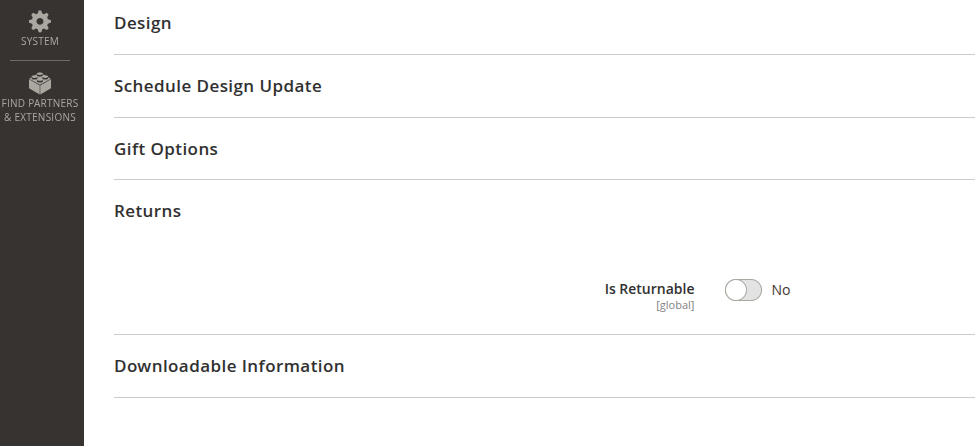
Figure 4.1: Enabling/Disabling Returns for a Product
5. Frontend Workflow
Customers can manage their returns directly from the "My Account" area.
4.1. Initiating a Return
The customer starts by selecting an eligible order from their history that falls within the configured return window.
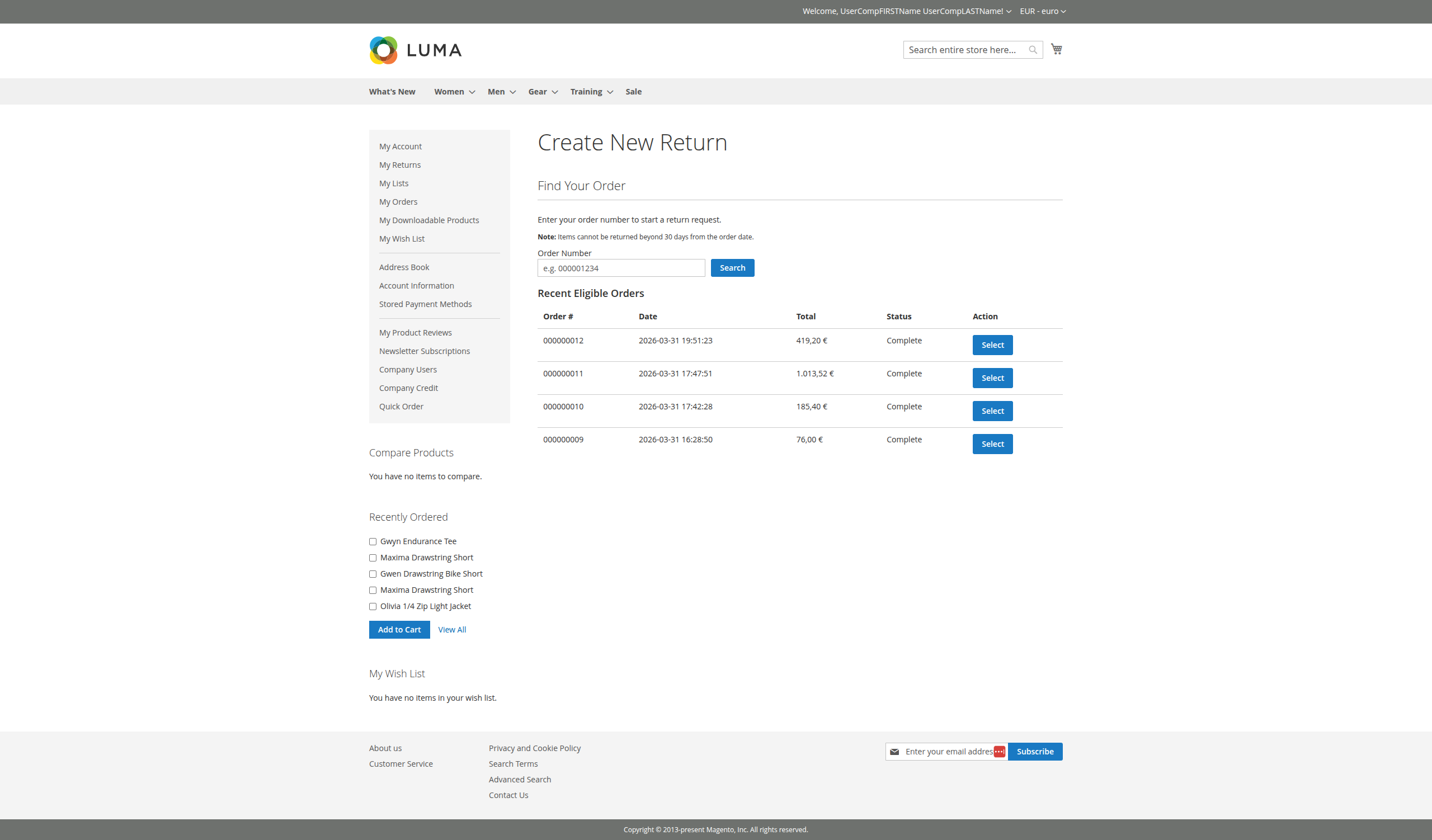
Figure 4.1: Selecting an Eligible Order
4.2. RMA Request Form
The customer selects the items and quantities to return, providing a reason and condition for each item, and choosing a desired resolution.
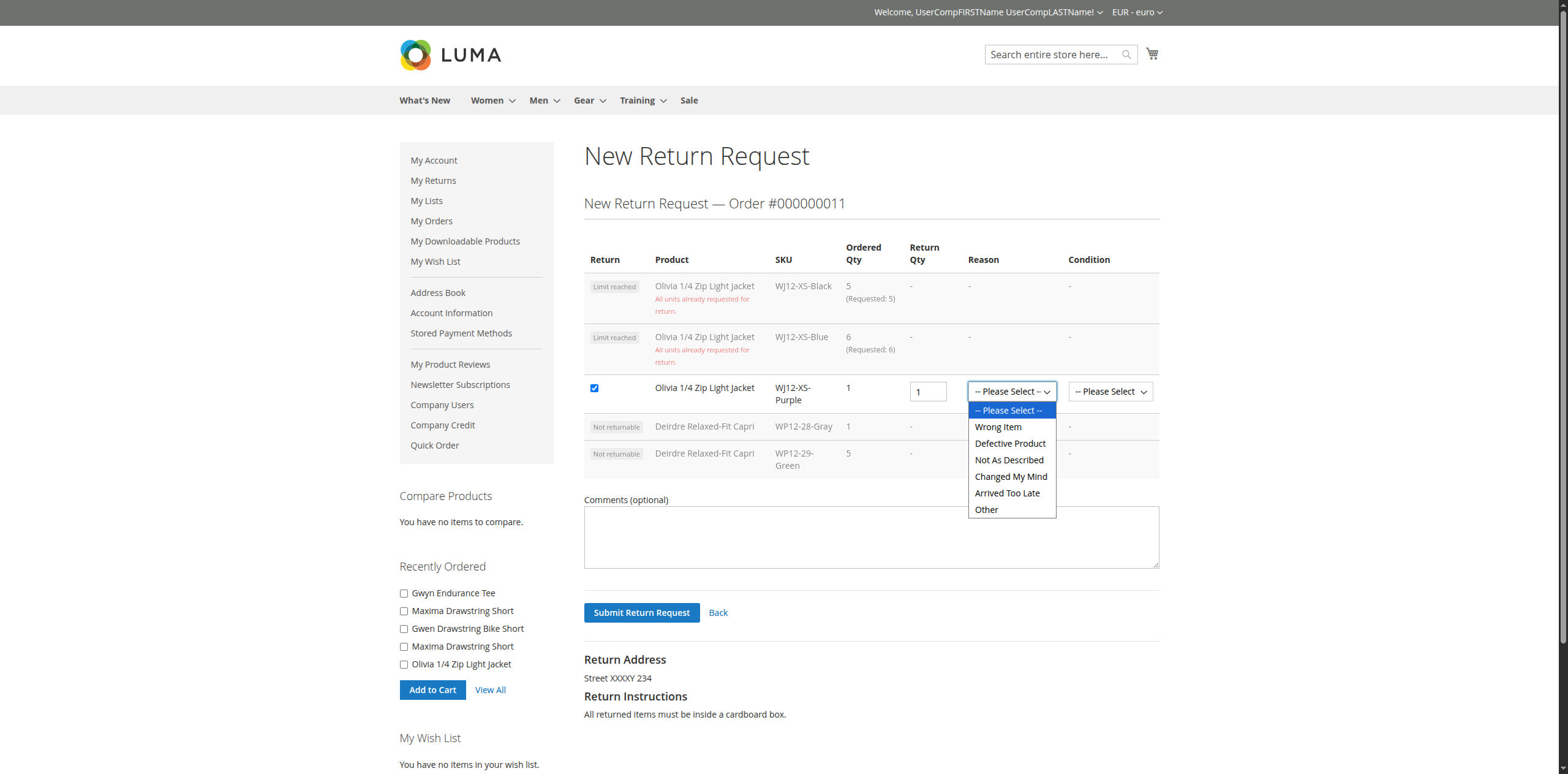
Figure 4.2: Completing the RMA Request Form
4.3. My Returns List
Customers can track all their return requests and their current statuses in the "My Returns" section.
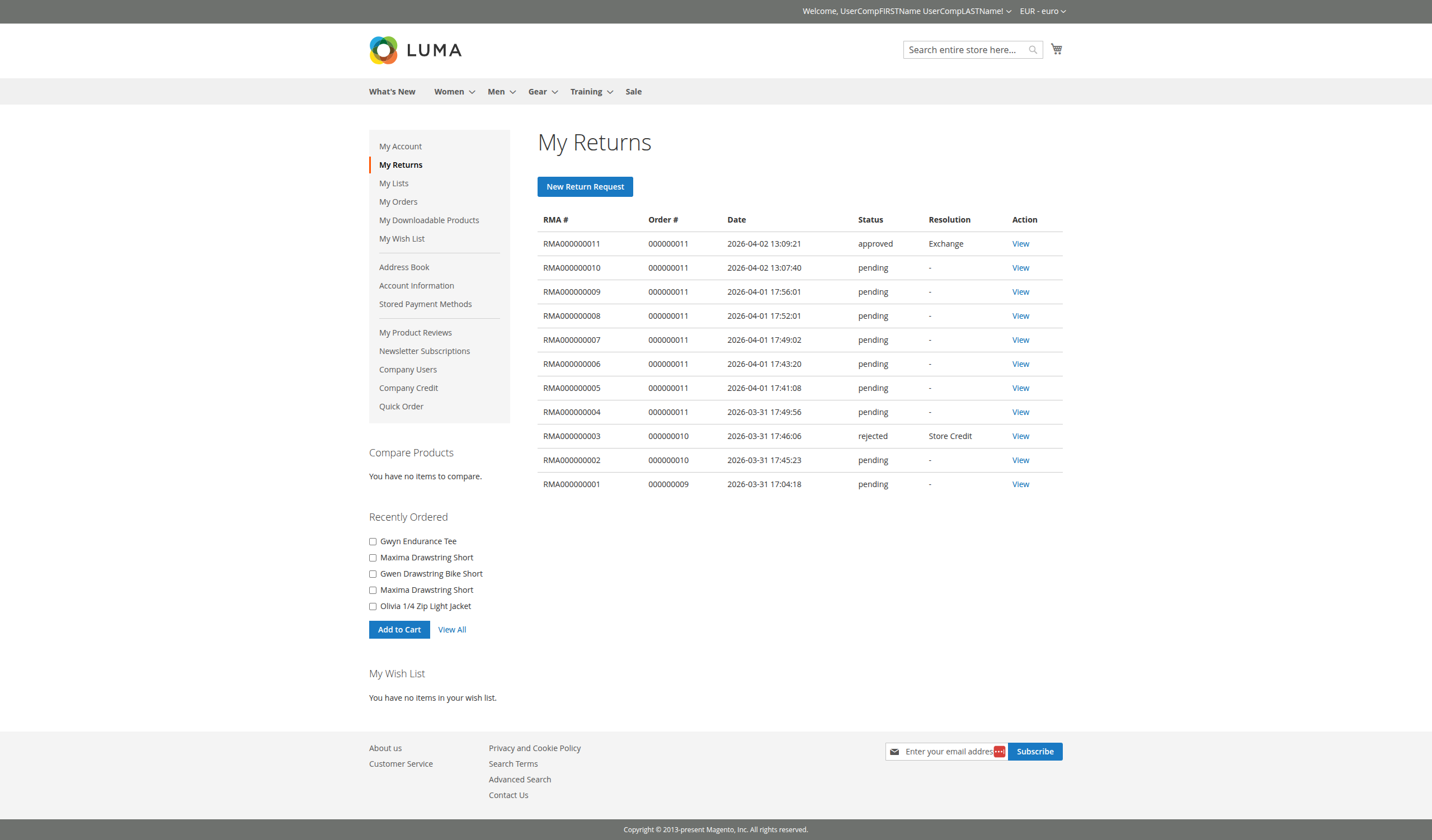
Figure 4.3: Customer Returns History
4.4. Viewing RMA Details
Detailed view of a specific RMA, including item status and any administrator feedback.
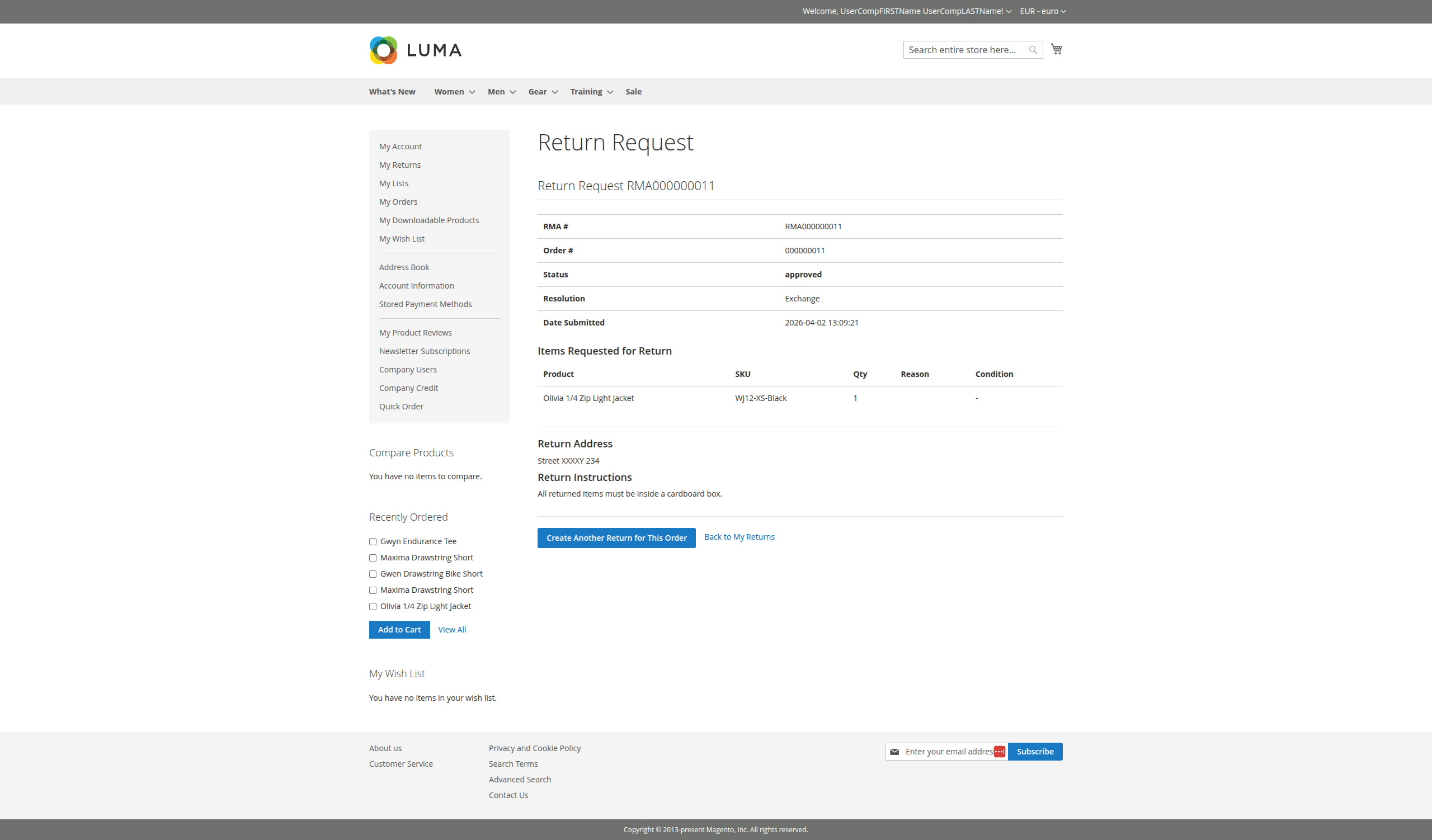
Figure 5.4: Frontend RMA Detail View
6. Admin Workflow
Administrators process returns through the Magento Admin Panel.
5.1. Accessing Returns
The Returns management tools are accessible via the main Orangecat menu.
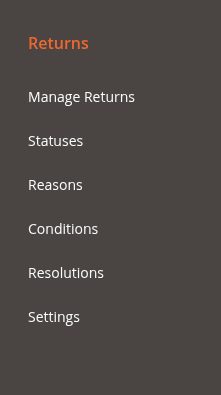
Figure 6.1: Returns Menu in Magento Admin
6.2. RMA Grid
A central dashboard to view and filter all submitted RMA requests across the platform.
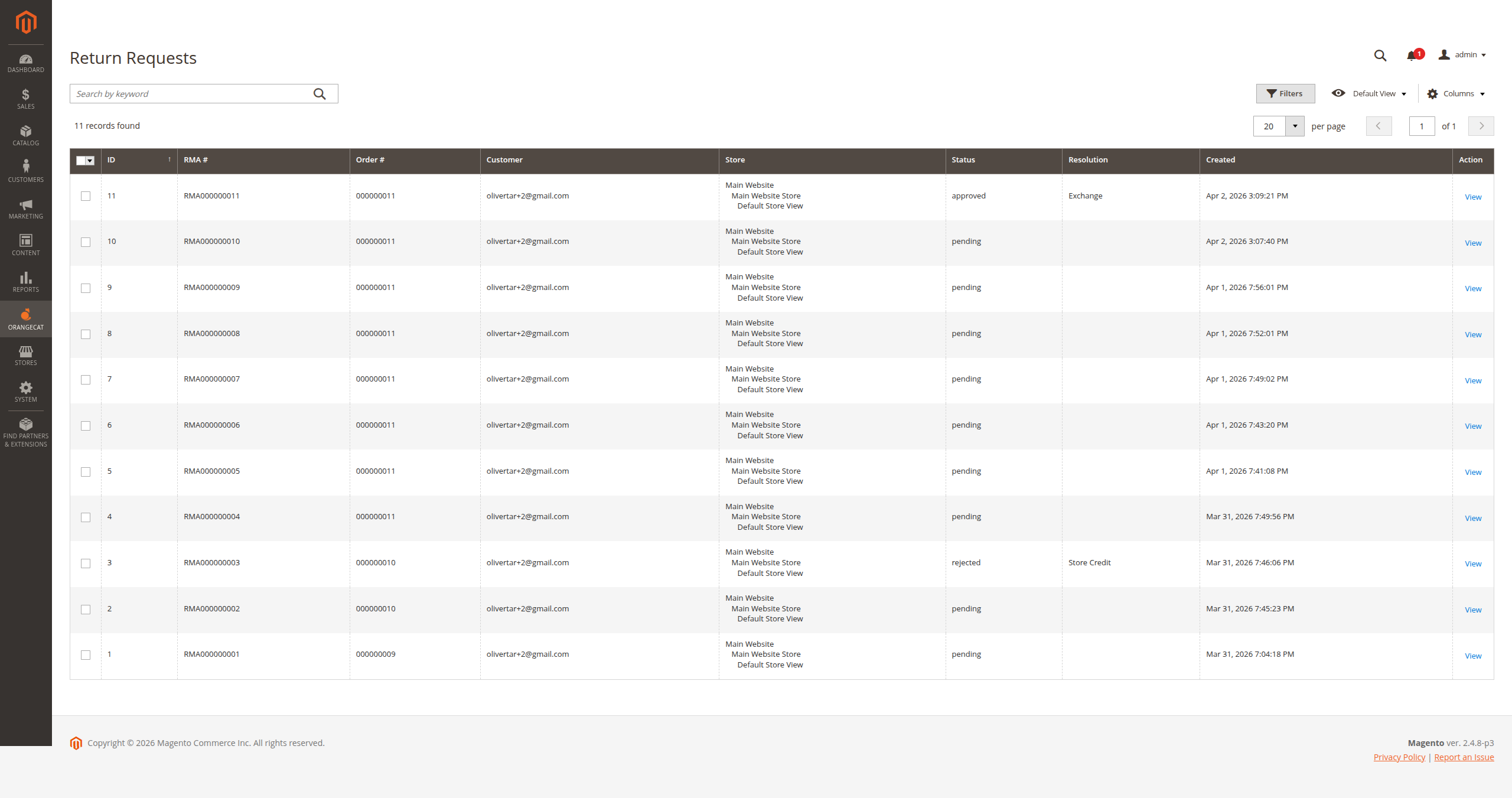
Figure 6.2: RMA Management Grid
6.3. Processing an RMA
Administrators can review request details, verify items, update statuses, and add internal or customer-facing comments.
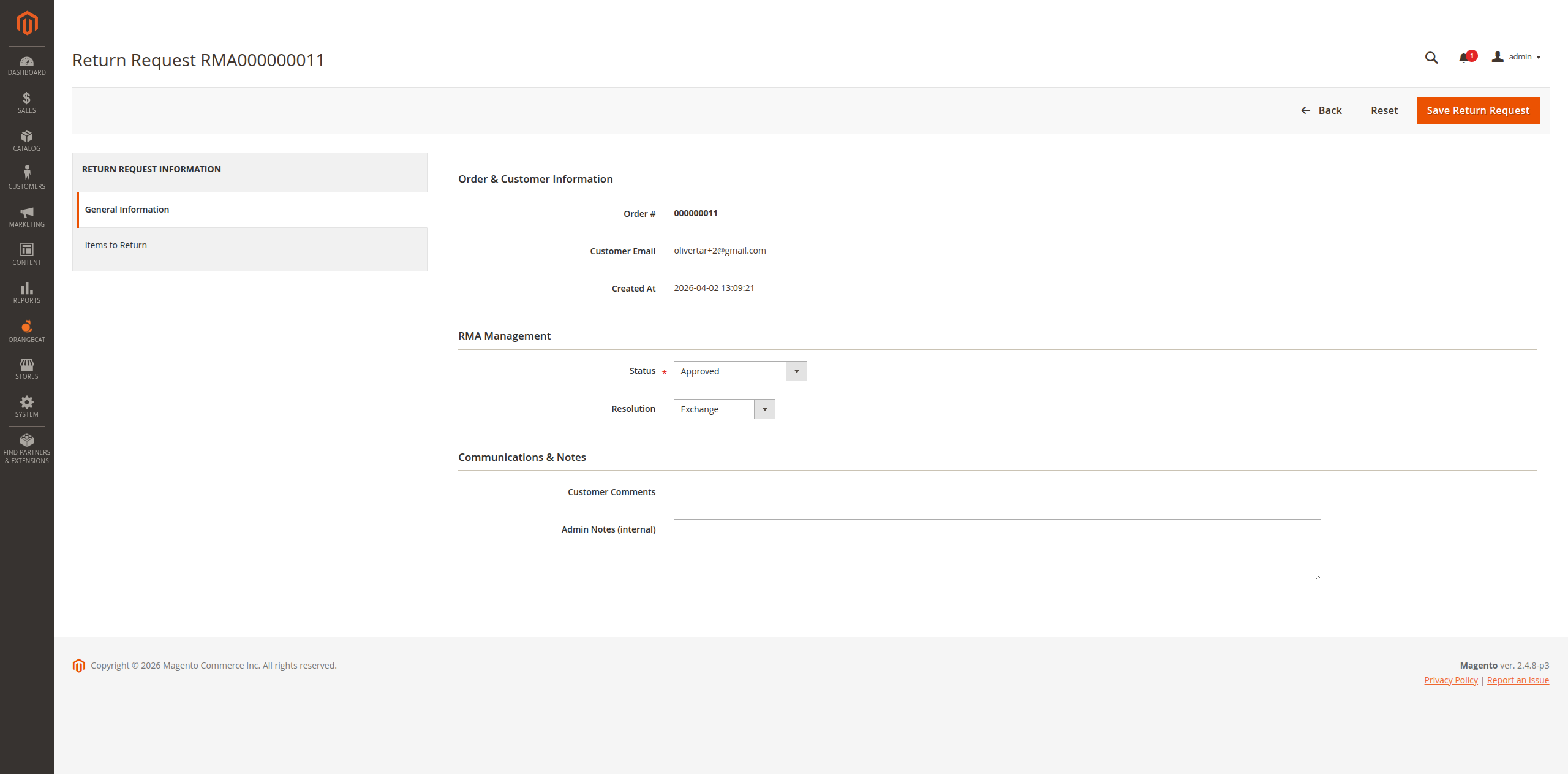
Figure 6.3: Editing/Processing an RMA Request