
Company Management
Table of Contents
1. Introduction
The Orangecat Company module for Magento 2 effectively bridges the gap between B2B functionality and standard Magento customer management. It allows for the creation and management of companies, assigning customers to these companies, and managing their specific attributes and addresses.
This manual covers the configuration, frontend user experience, administrative management, and API endpoints available within the module.
2. Configuration
The module settings can be found in the Magento Admin under Stores > Configuration > Orangecat > Company. Here you can configure general settings for the module behavior.
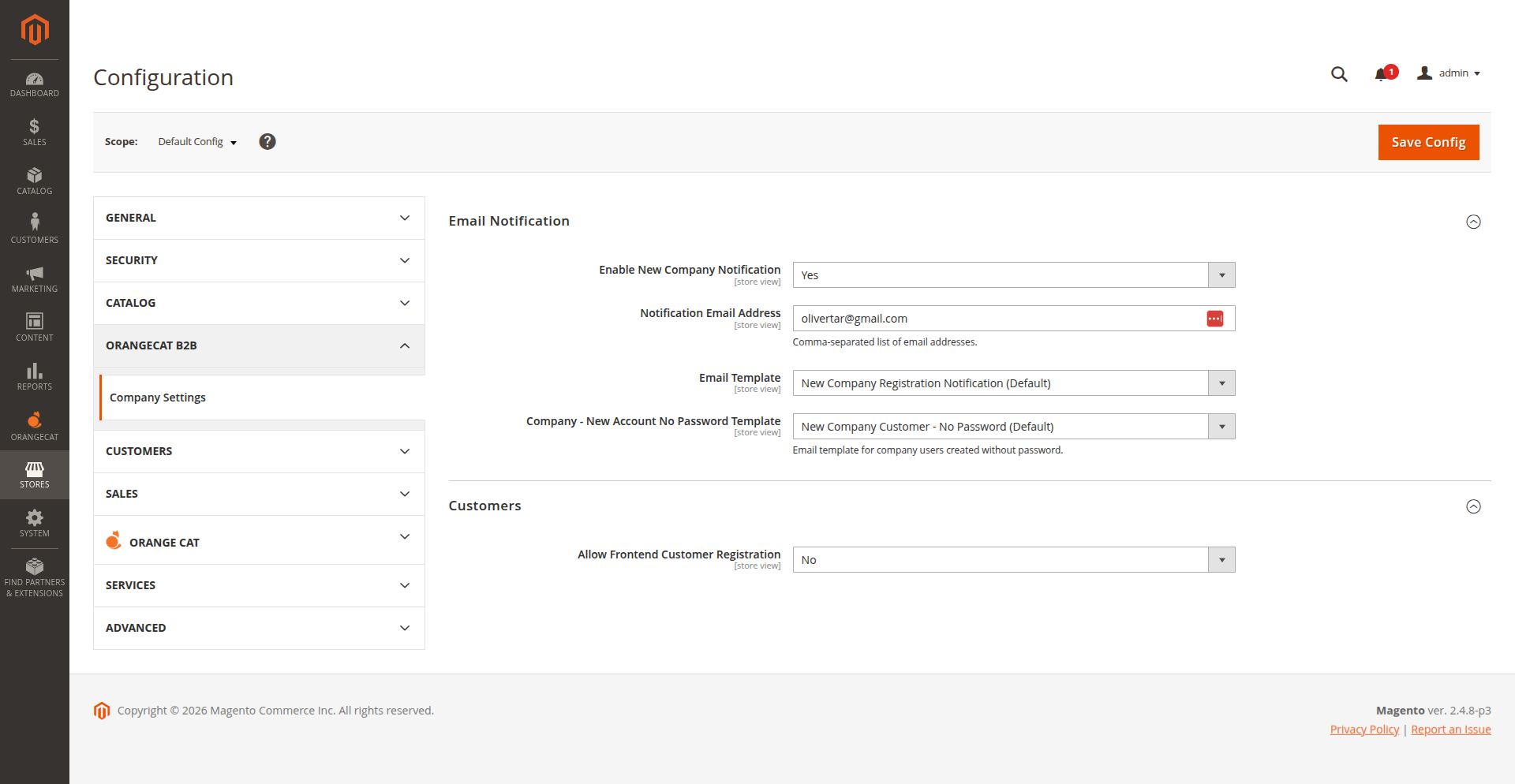
Figure 2.1: General Configuration Settings
3. Frontend Workflow
The module enhances the frontend user experience by allowing users to register their companies and manage their profiles.
3.1. Company Registration
Users can access the company registration form to sign up. This form collects necessary company details.
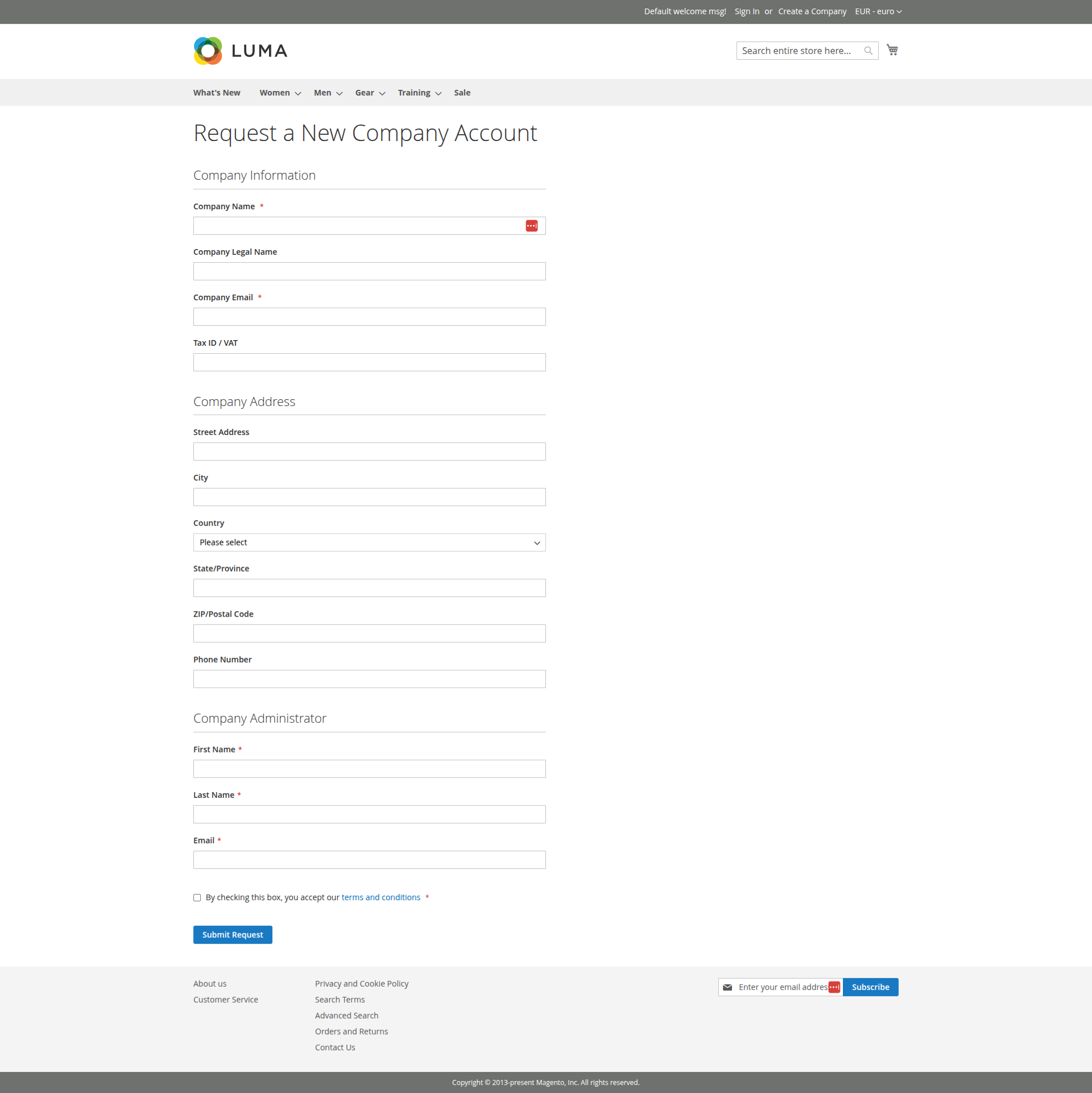
Figure 3.1: Company Registration Form
3.2. Company User Management
Company administrators can manage users directly from the frontend, viewing lists, setting passwords, and adding new members to the organization.
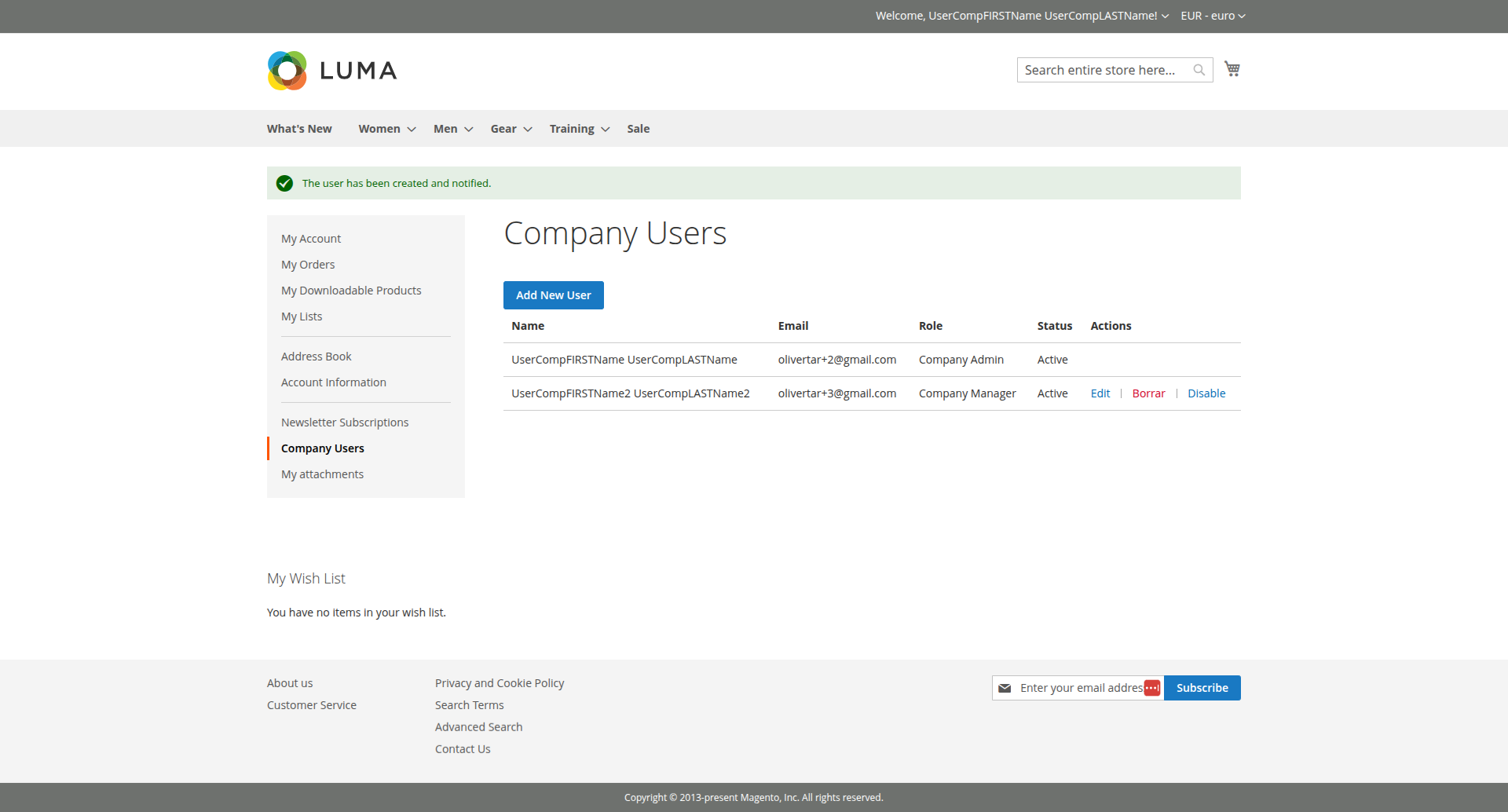
Figure 3.2: List of Company Users in Frontend
4. Admin Workflow
Administrators have full control over company management from the Magento Admin Panel.
4.1. Managing Companies
Navigate to the companies grid to view, edit, or delete registered companies.
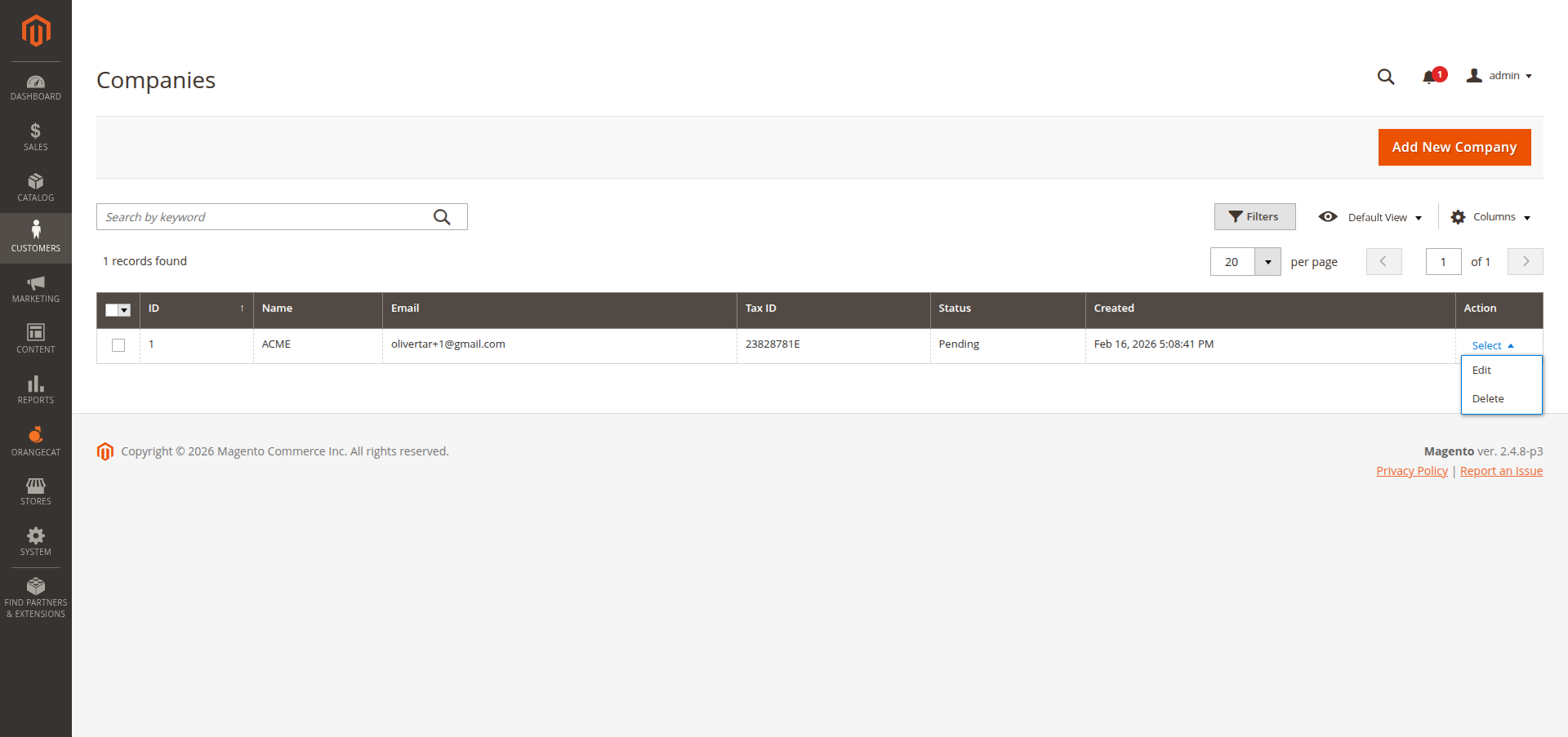
Figure 4.1: Companies Grid View
4.2. Editing a Company
Clicking on a company allows you to edit its details across several tabs, including General Information, Addresses, and Admin User assignments.
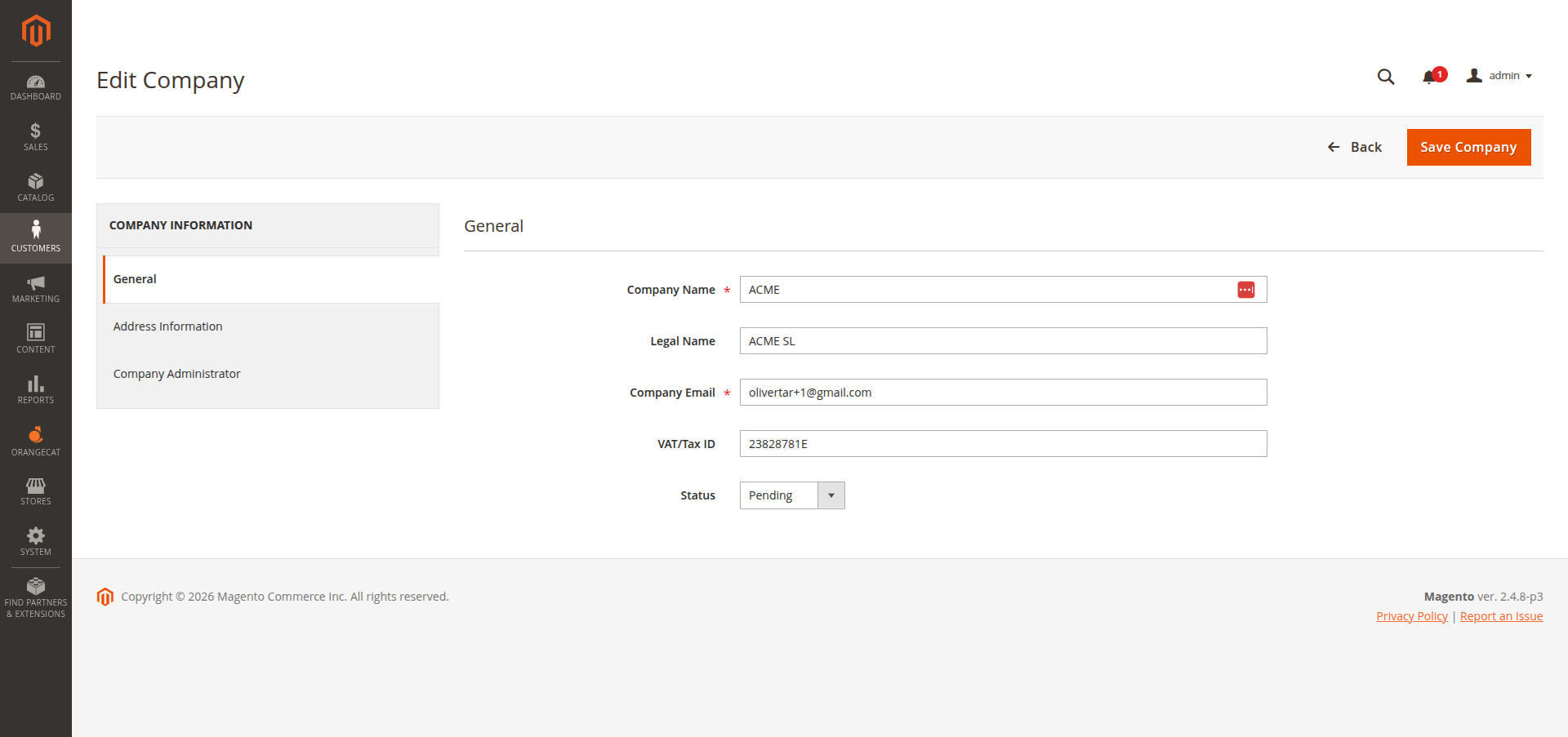
Figure 4.2: Editing Company General Information
5. API Usage
The module provides robust REST and GraphQL API endpoints for integration with external systems like ERPs or CRMs.
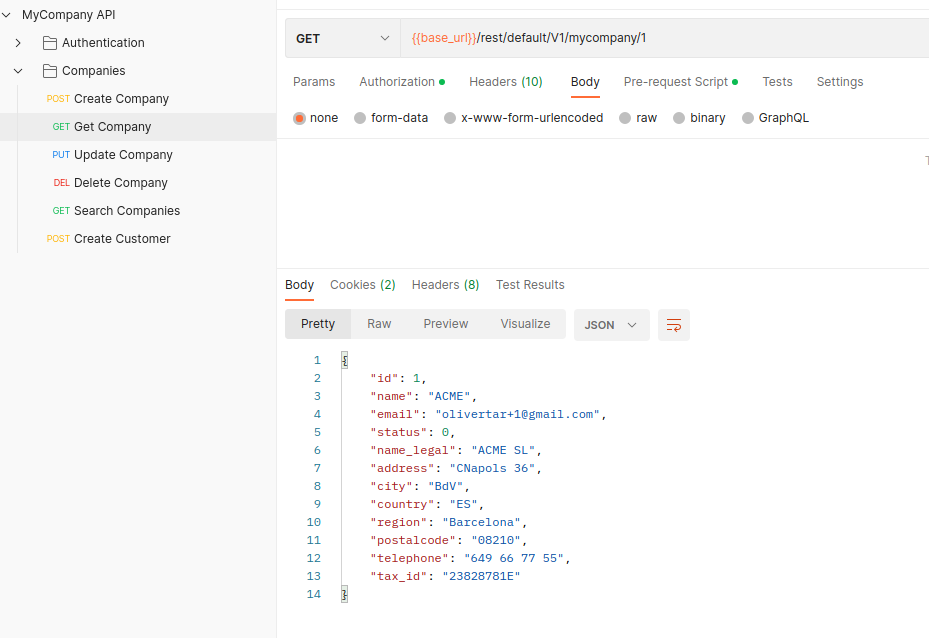
Figure 5.1: Get Company API Request Example